
Your phone and computer.
Use the EZY GPS app and web platform to access your linked devices. Contact us for help choosing a package and setting up your tracking account.
THE EZY GPS EXPERIENCE
Explore reported vehicle positions, recorded trips and supported alerts from the EZY GPS app and web platform.
INSIDE THE EZY GPS APP
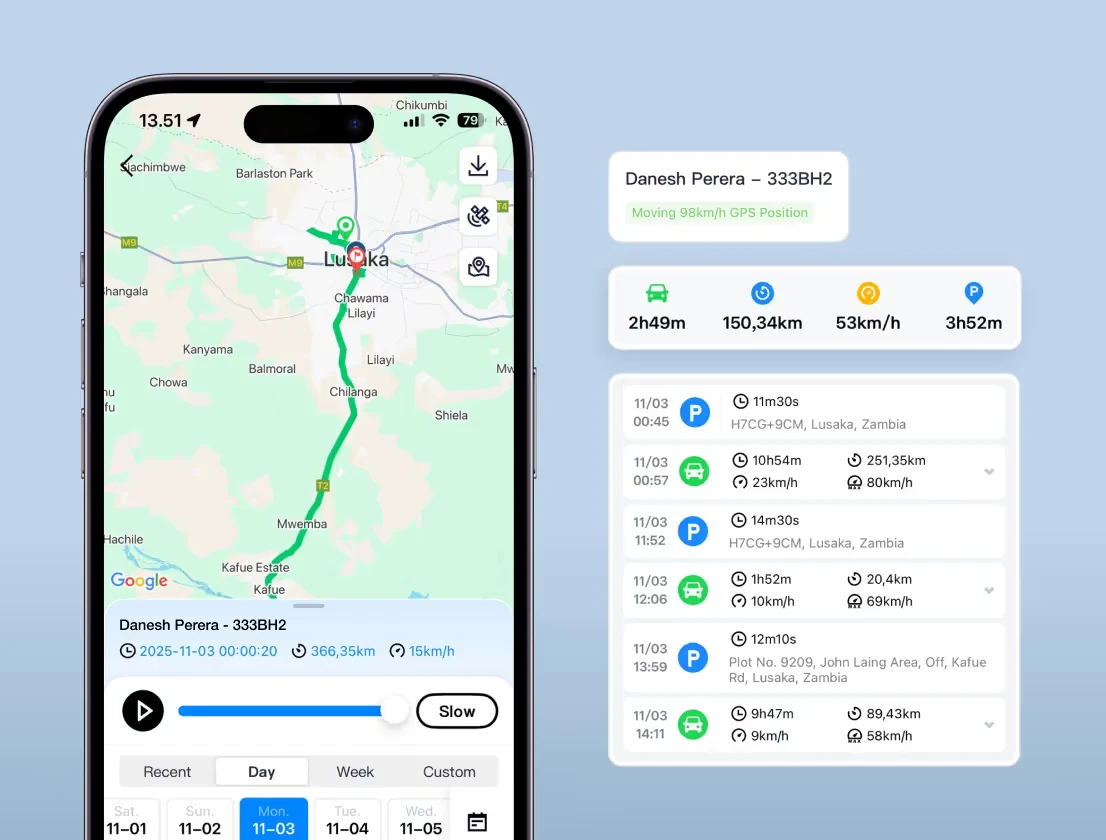
EZY GPS interface examples. Features and available records depend on your device, account and configuration. Tracking requires device power, GPS reception and mobile coverage.
Use the EZY GPS app and web platform to access your linked devices. Contact us for help choosing a package and setting up your tracking account.
Review the journeys reported by a linked device. Available records and reporting depend on the product, settings and selected service.
Tracking relies on device power, GPS reception and mobile connectivity. A reported location is not a guarantee of continuous visibility or vehicle recovery.
FROM A MAP TO A USEFUL ANSWER
Open a linked device to see its last reported location and time. A stale timestamp means you should check connectivity before assuming the vehicle is still there.
Choose an available date and vehicle to replay recorded journeys. Review the route and stops in the context of the work being done.
Configure supported geofences around a depot, job or other place. Entry and exit notifications depend on the device, settings and connectivity.
BUSINESS REPORTING · PORTAL BETA
Start with a location. Follow the recorded journey. Then use the available reports to understand vehicle activity across the day.
Beta report access depends on your account, device setup and available history. Ask us about access for your fleet. Recorded movement is not a timesheet or proof that a job was completed.
Discuss fleet reportingILLUSTRATIVE REPORT · FICTIONAL EXAMPLE
Review the individual route, stop and idle-event details where available. Check the report period, device settings and any gaps before interpreting the day.
IPHONE · ANDROID · WEB
Download EZY GPS, then use the account details supplied for your tracking service. An internet connection is required on your phone or computer.
Keep using the app and platform listed in your account instructions. If you cannot find your login, ask our team with your order reference rather than creating an unrelated account.
Read the sign-in guideAPP & ACCOUNT ACCESS
Use the tracking username and password supplied with your account. Choose the linked vehicle or device, then check its latest reported position and update time.
The shared EZY GPS tracking platform uses the ezygps.com.au address. Your regional enquiries go to sales@ezygps.com.ph.
If your setup includes customer portal access, use the email linked to your account after receiving your portal welcome email. Choose Email, request a sign-in code and check your inbox and junk folder.
Keep the code private. Vehicles and reports appear when the relevant devices, data and account permissions are ready.
Open customer portalPortal access and beta report availability are confirmed for your account. The portal email code is separate from your tracking username and password.
WATCH & LEARN
Learn how available journey history can help you look back at a route and its recorded stops.
Use the matching written guide and instructions supplied with your device.
Open the video directlyCheck report time, power, reception and coverage before requesting further help.
Use the matching written guide and instructions supplied with your device.
Open the video directlyThese shared EZY GPS guides illustrate the relevant app or portal. Use your supplied account instructions; menus and available features can vary.
START WITH A CONVERSATION
Tell us what you need to see and how your vehicles work. We’ll help you choose a suitable tracking setup.