
Plan your charging routine
Battery use depends on device settings, reporting activity and operating conditions. A suitable charging and checking routine is part of planning the setup.
S20-Pro · RECHARGEABLE ASSET TRACKER
A rechargeable tracking option for assets where vehicle wiring is not suitable. Discuss the mounting, charging and reporting needs of your equipment.
Discuss S20-Pro suitabilityConfirm availability and your complete package with the team.
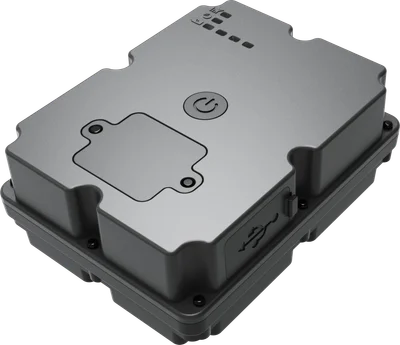
Battery use depends on device settings, reporting activity and operating conditions. A suitable charging and checking routine is part of planning the setup.
Discuss the asset, mounting surface, security and reception. The right position depends on the equipment and the conditions it works in.
Confirm the selected device, SIM service and coverage for the places your equipment operates.
THE SERVICE BEHIND THE DEVICE
Explore the tracking experience and peso package guide prices, then request a quote for your setup.
S20-Pro AT A GLANCE
Specifications describe the listed EZY GPS model. Confirm the supplied hardware variant, kit and vehicle suitability in your quote. Live updates can be as frequent as every 10 seconds on a suitable configuration; reporting depends on the device mode, power, GPS and mobile coverage. Battery modes can report less often.
TRACKING WITHOUT VEHICLE WIRING
S20-Pro is a rechargeable tracking option for equipment and mobile assets where a vehicle-powered connection is unsuitable. Magnetic mounting can make placement straightforward on an appropriate steel surface, but the final fit must stay secure in the asset’s working conditions.
A rechargeable device trades battery use against reporting activity. More frequent updates, movement and difficult signal conditions can increase power use. Choose the reporting mode around what you need to know and how often you can recharge.
IP67 describes the enclosure rating, rather than permission to ignore the charging cover or expose an open port to water. Follow the supplied guide, charge in a dry place and check the mounting position and battery regularly.
Battery duration varies with reporting mode, movement, reception and conditions. Ask us to recommend a suitable interval for your asset; we do not promise one fixed battery runtime.
Use a suitable secure position with practical charging access and adequate reception. Avoid metal above the tracker. Add an appropriate restraint where vibration or movement could dislodge it.
It may suit assets without appropriate wiring, but needs charging and a reporting routine. Compare your monitoring needs with a vehicle-powered tracker before choosing.
CHARGE · MOUNT · CHECK
Follow the charging, mounting and first-report checks for your S20-Pro.
Use the matching written guide and instructions supplied with your device.
Open the video directlyTHE OTHER HALF OF YOUR TRACKER
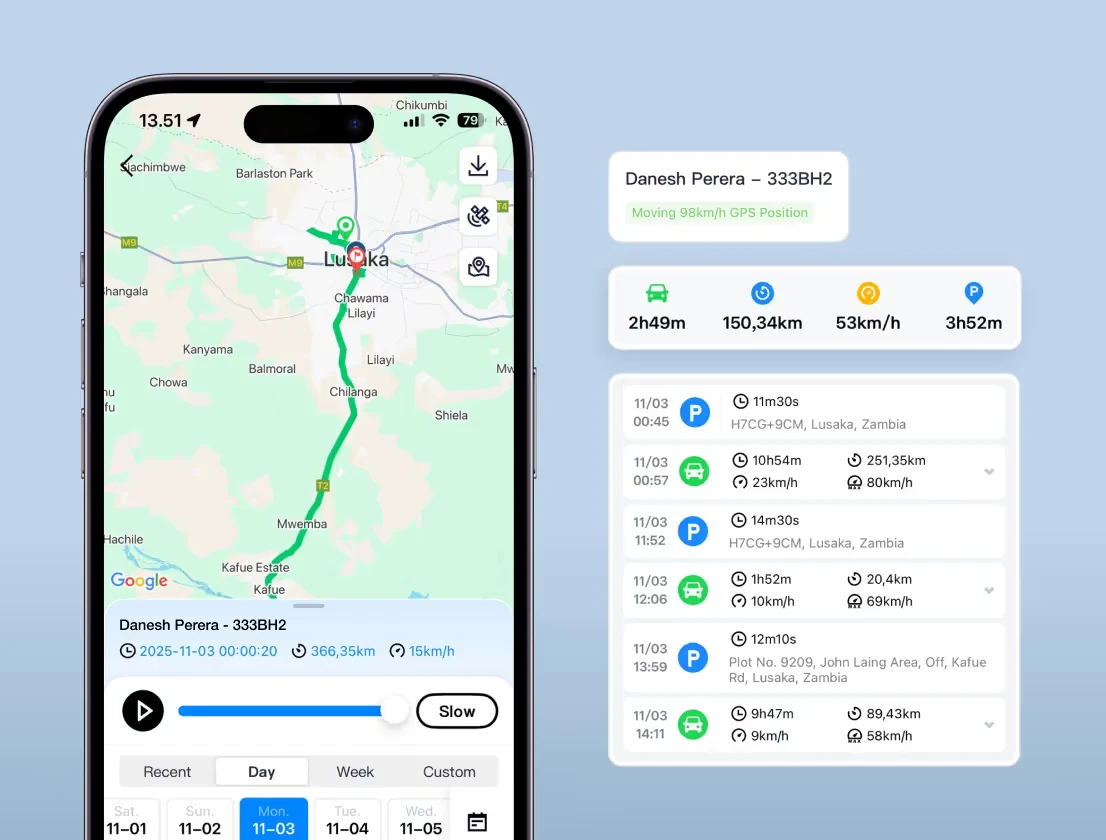
Use the EZY GPS app and web platform to check reported locations, review recorded journeys and manage linked devices in one account. Supported alerts and reports depend on the device, configuration and available history.
Before ordering, confirm your usual operating areas so we can check the selected local SIM and device arrangement. Mobile and GPS reception vary by location.
START WITH A CONVERSATION
Tell us your vehicle types, usual travel areas and the number of trackers you are considering.